A SIP 403 error means a call request was understood but intentionally refused by the network. While often described as a permissions issue, repeated 403s in outbound calling frequently indicate carrier policy enforcement, analytics filtering, or caller ID and number reputation problems. Interpreting 403s correctly requires looking beyond the code itself and analyzing patterns across routes and carriers.
A SIP 403 error looks simple: the request was understood but refused. But in real-world outbound calling, 403s appear for more than just permission or authentication problems, also potentially signaling call or number reputation issues.
This guide covers the protocol definition and the broader behavior you may see when analyzing 403s across carriers and routes. Learn more about why this error code appears and how protecting your number reputation can help.
SIP response codes are three-digit messages that describe what happened during a call attempt. They are part of the Session Initiation Protocol, which handles the signaling for setting up, managing, and ending VoIP calls. Each code shows how the receiving system interpreted the request and why it accepted, rejected, or stopped the call.
The codes are grouped by their first digit:
These categories help with basic troubleshooting, but they do not always explain the deeper reason a call failed. That is especially true in modern outbound calling, where analytics and filtering layers can influence how a SIP response is returned.
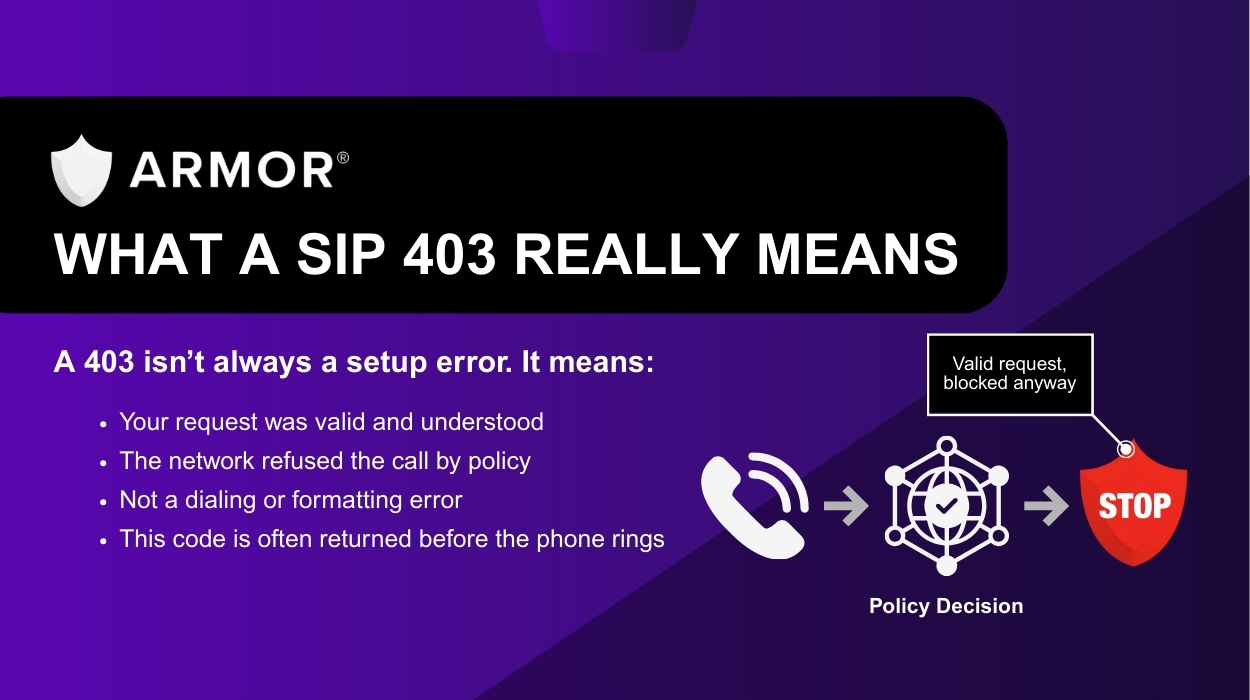
A SIP 403 response means the request was received and understood, but the server refused to fulfill it. In the SIP specification, a 403 is a policy decision. The system receiving the request has chosen not to allow the call, even though the request itself was valid. The reason is not spelled out in the code, because 403 is a general refusal rather than a detailed diagnostic signal.
In most reference material, a 403 is associated with permissions, credentials, account restrictions, IP limits, or other policy rules that prevent the request from being processed. For example:
In practice, a 403 is usually generated by the network that is handling the call on the receiving side. That can be the terminating carrier, a SIP trunk provider, or another upstream system that is enforcing policy on their behalf. Somewhere in that path, a network element decided “this call is not allowed” and returned 403 to indicate that refusal.
Imagine walking up to a door and having the security guard stop you before you can enter. They listen, understand exactly what you want, and then say, “You’re not allowed in.” Nothing is broken. Nothing is mistyped. The guard was following a rule. The same thing happens in a 403 situation: the network recognizes your call but blocks it due to a policy or restriction before it ever has a chance to ring.
Carriers do not use SIP codes consistently. When 403 appears occasionally, it may point to a simple configuration issue. But when 403 shows up in patterns, clustering on certain types of calls, or appearing across multiple routes or carriers, it often tells a different story. Something in the caller profile, number reputation, or traffic behavior is triggering a rule that stops the call before it can ring.
In other words, a repeated 403 pattern often points to spam or reputation-based blocking, even though that is not its intended use.
Learn More: 27 Factors That Can Drive Up Your Spam Flag Risk & How the ARMOR®️ Platform Helps Protect You
If you see an occasional 403, it may be a simple setup or permission issue. But if the pattern continues, especially across different routes or carriers, it is worth looking deeper.
Here are a few things you can check:
Learn More: Call Reputation Management Services: Are They Worth It?
Seeing repeated 403 errors? When these errors stack up, your team works harder to reach fewer customers, and your caller ID reputation suffers. Schedule a review with our team and get a clear plan to fix what’s blocking your calls.
Let’s turn your 403 SIP errors into 200 OKs:
A SIP 403 means your call was understood by the network, but the network decided not to let it go through. The request itself is valid, but something (a rule, a setting, or a reputation filter) tells the network to stop the call before it can ring. It’s like a bodyguard stopping you at the door and deciding you’re not allowed to proceed.
Sometimes. If the issue is related to authentication or configuration, changes on your side may resolve it. But if the 403 is triggered by reputation scoring or filtering in the network, adjusting settings will not fix the problem. You need to address the underlying cause.
Carriers do not follow a consistent standard for how to represent reputation-based or analytics-based blocking. Different networks use different response codes for the same behavior, and some return 403 even when the SIP spec would suggest a different code. This inconsistency makes 403 harder to interpret.
If 403 appears on more than one route or upstream provider, it usually indicates a reputation-related issue rather than a technical or configuration problem. Carriers may be independently deciding that the call should not go through.
A 403 does not mean the destination number is invalid. It means the network refused the request, often before the call ever reached the device. This can happen due to rules, filters, or reputation systems that operate before the phone has a chance to ring.